Greetings All,
Update [05/01/2017] - Another way to update the company is to go into your VS Project properties as shown below:
A quick tip - While executing your VS Code and if the browser opens up with a different entity as circled below in the screenshot.
A quick way to change the entity you want is go to AX and then System Admin > Users > Select the Admin user (- this was in my case) and then change the company to the one you intend and next time when you run your VS project, browser will display the right entity.
Greetings! Welcome to my Dynamics AX 7 and related MS Technologies blog.
Total Pageviews
Search This Blog
Saturday, November 19, 2016
Tuesday, September 20, 2016
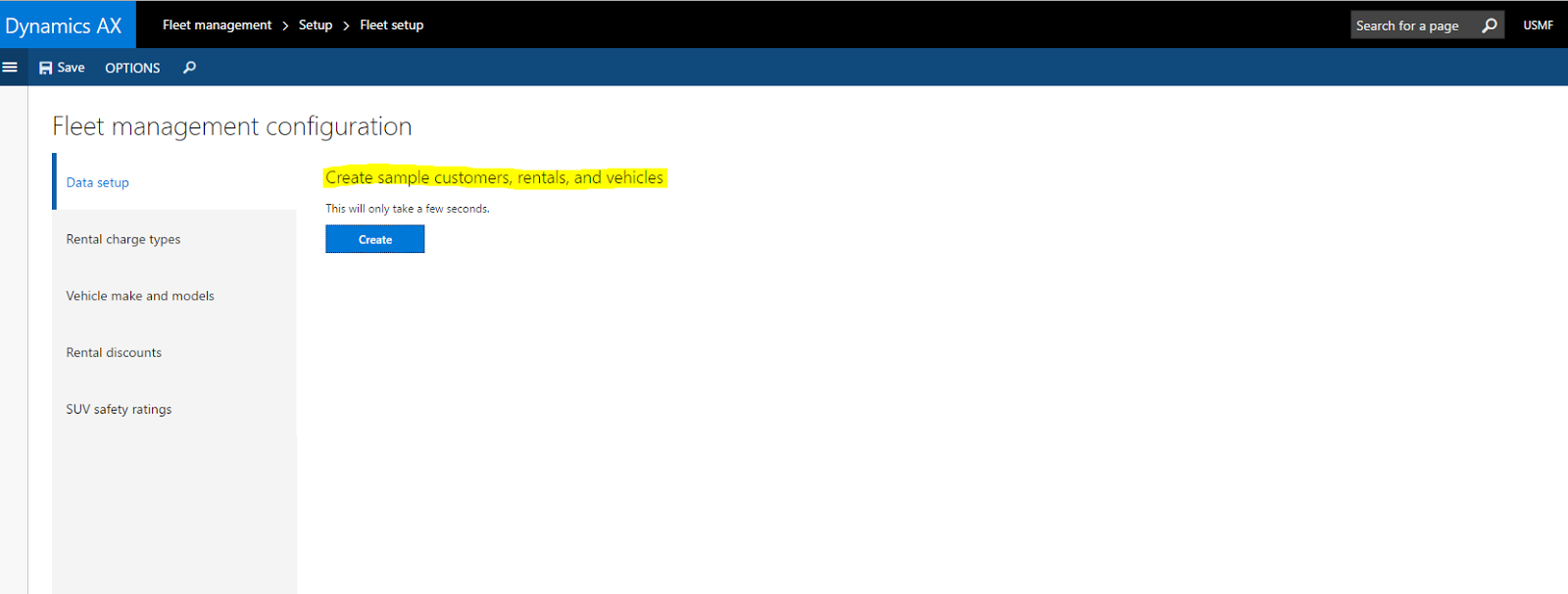
Quick tip - How to acivate demo data for Fleet Management in AX 7
Greetings!
Fleet Management is a custom module introduced in AX 7 for demo and training purpose and we have some tutorials around fleet management.
The other day I was putting up a quick demo around reservation management workspace and found the workspace empty with no data in it.
A quick way to activate Fleet Management with demo data is to go to
Fleet Management > Setup > Fleet Setup > Create sample customers, rentals and vehicles
Happy Daxing!
LCS - Monthly Updates
Greetings!
A core component to the new Dynamics AX is LCS and it's recommended to keep an eye on the monthly updates:
In August, the following key features were updated:
- Database Refresh Request - You can request that sandbox environments to be refreshed with DB backups directly from LCS.
- Methodology Update - Now, you can attach documents to methodology tasks
- Issue Search - View additional status details for active bugs and subscribe to email notifications when an issue is resolved. View detailed info about the line number and code changes
More details here - https://blogs.msdn.microsoft.com/lcs/2016/09/02/august-2016-release-notes/
Thursday, August 25, 2016
New Developer Courses in Microsoft Dynamics Learning Portal
Microsoft Dynamics Learning Portal is a great resource to get started and acquire knowledge on the new Dynamics AX.You will need a partner account or PartnerSource Login to ign into the portal. Some new courses added recently in last few weeks in Dynamics Learning Portal and maybe some interest to developer community:
Wednesday, August 10, 2016
Dynamics AX 2012 and SQL 2016 Support
Greetings Friends!
A quick post!
Microsoft has recently announced the support for AX 2012 with SQL Server 2016. This is exciting news as we have more possibilities integrating Dynamics AX 2012 with Power BI and Entity Store
Announcing support for Office 2016 and SQL Server 2016 with AX 2012 R3 and R2
A quick post!
Microsoft has recently announced the support for AX 2012 with SQL Server 2016. This is exciting news as we have more possibilities integrating Dynamics AX 2012 with Power BI and Entity Store
Announcing support for Office 2016 and SQL Server 2016 with AX 2012 R3 and R2
Subscribe to:
Posts (Atom)